How to get the web app for Apple iOS and iPadOS
1
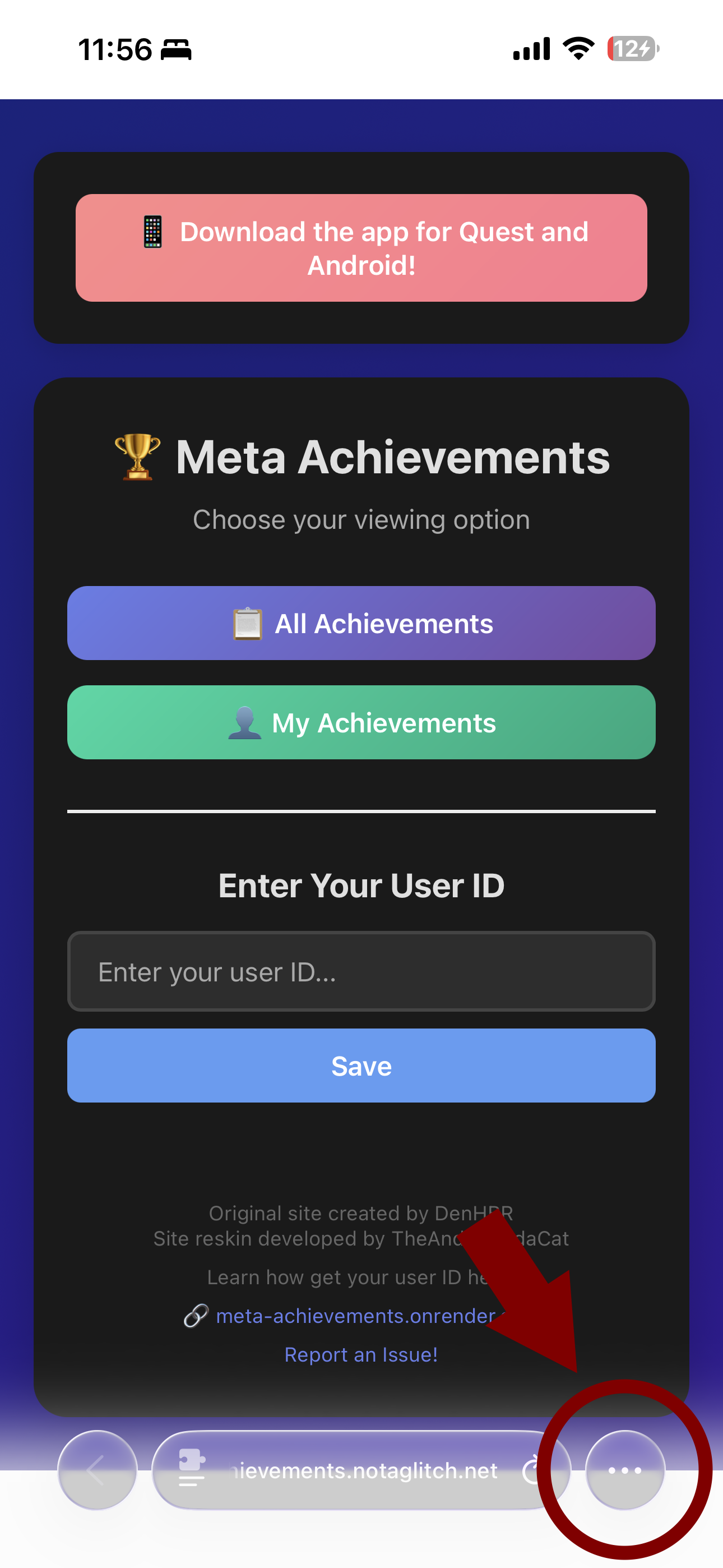
In Safari tap the 3 dots icon at bottom right, in any other browser tap the share icon (usually at the top right) and skip to step 3
2
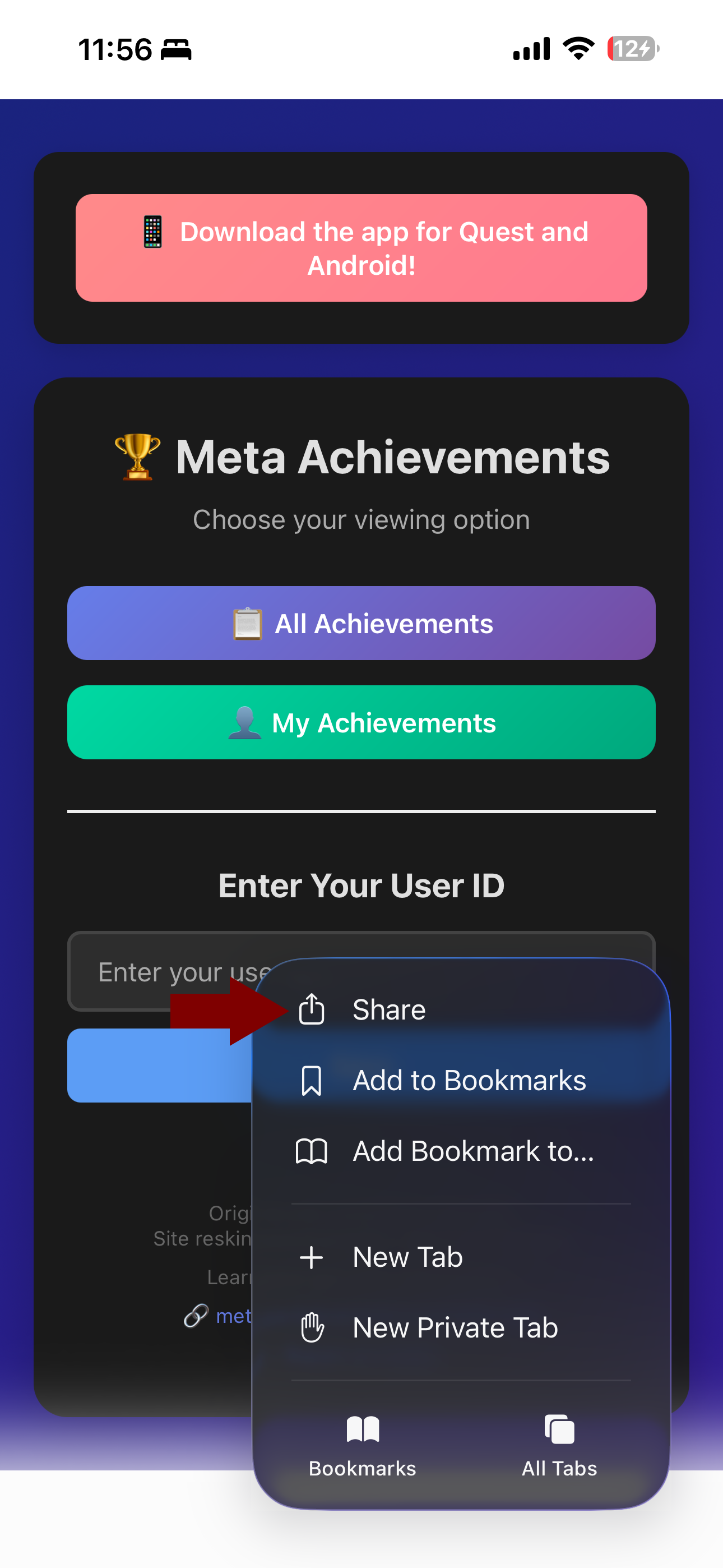
In Safari, after having tapped the 3 dots icon, tap the "share" option
3

In the share menu, tap the "View More" Option
4
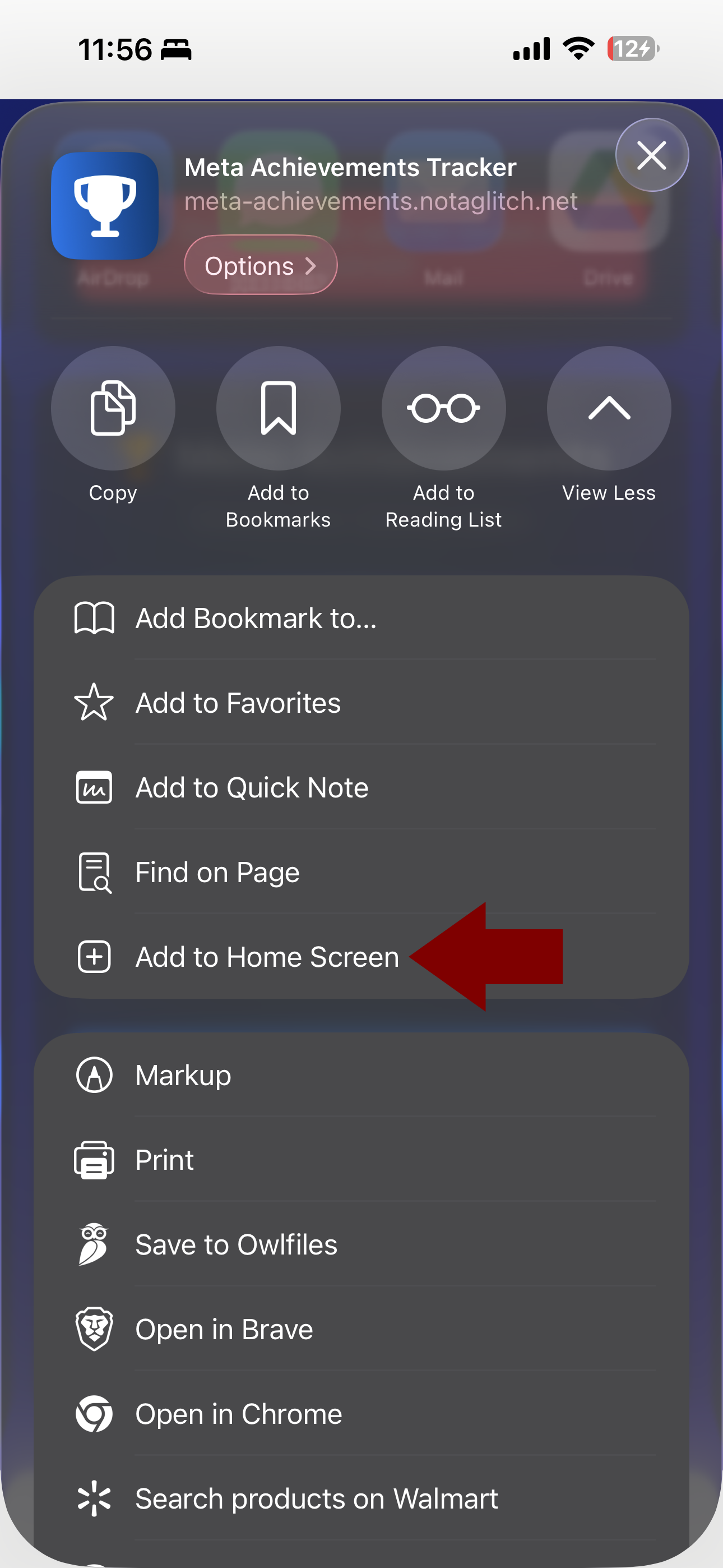
Scroll down and tap the "Add to Home Screen" Option
5
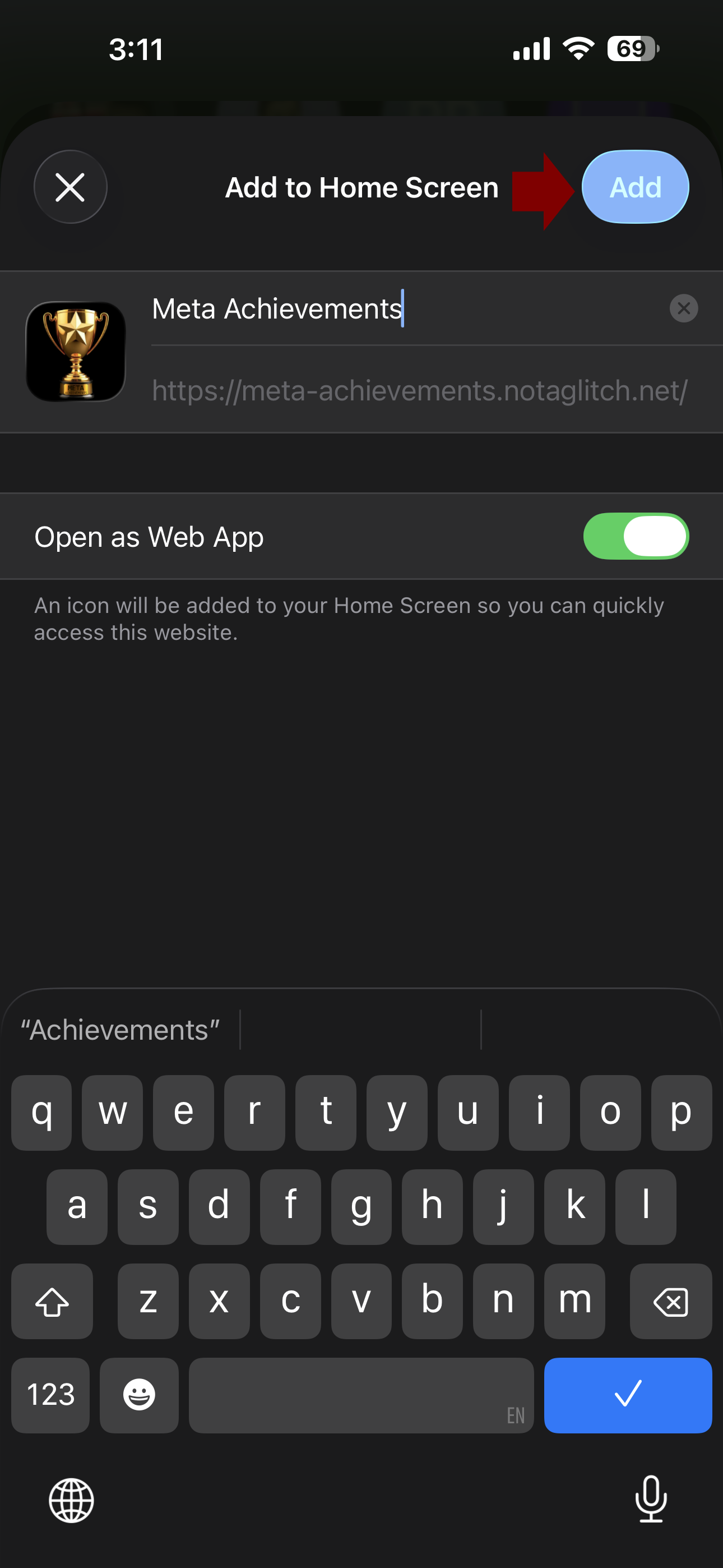
Change the title if you so please, make sure "Open as Web App" is turned on, then tap "Add"
6
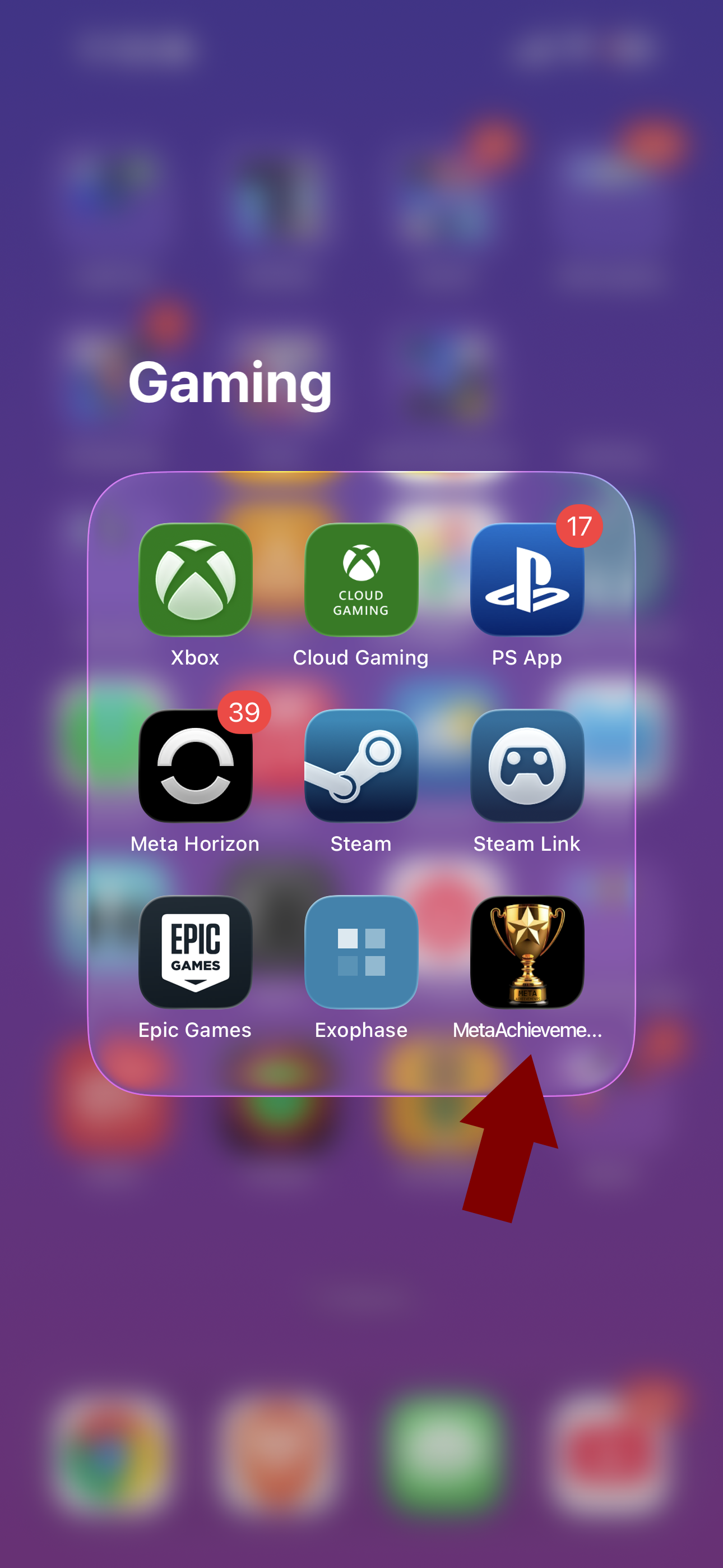
Place web app icon wherever you please on your home screen
7
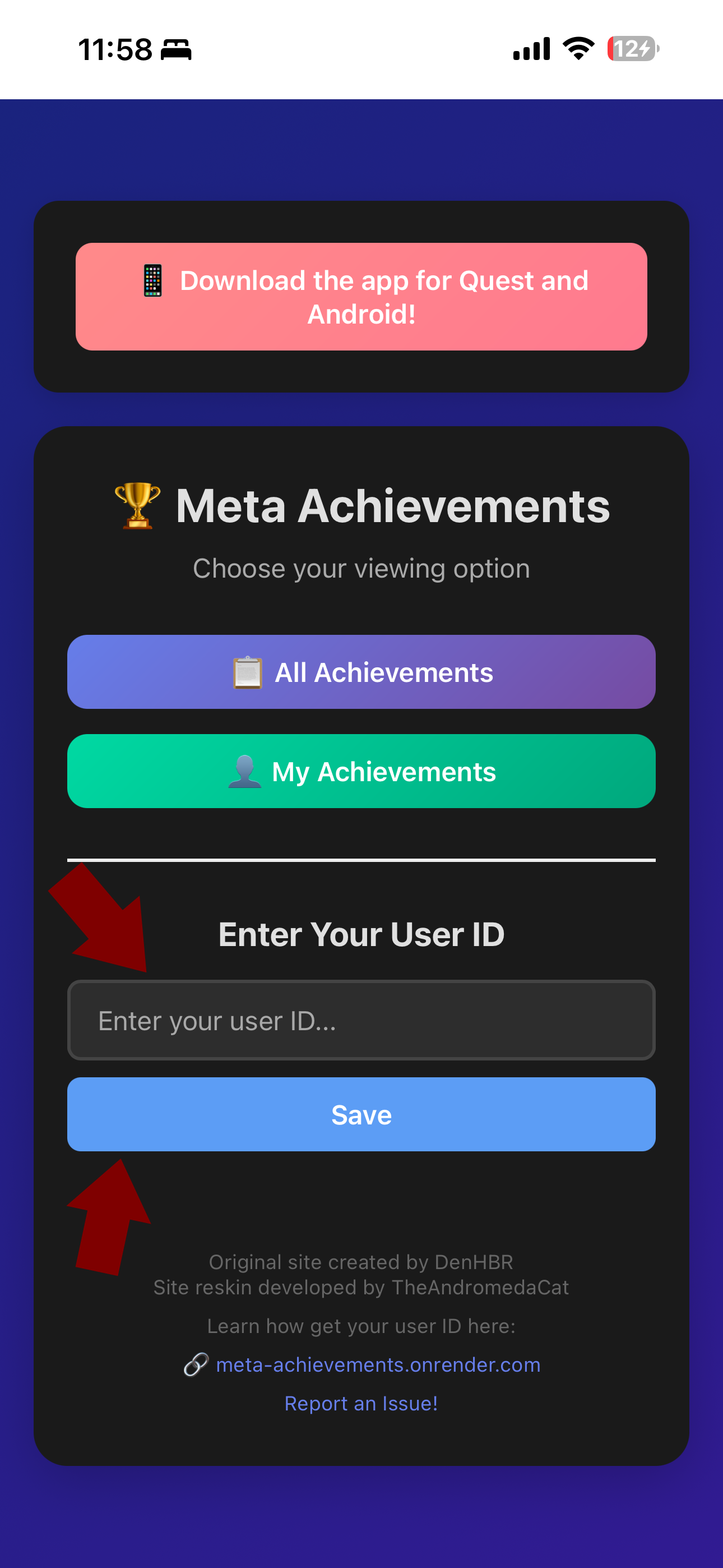
Open web app and set your User ID, it will save to the web app. You only need to do this step once!